
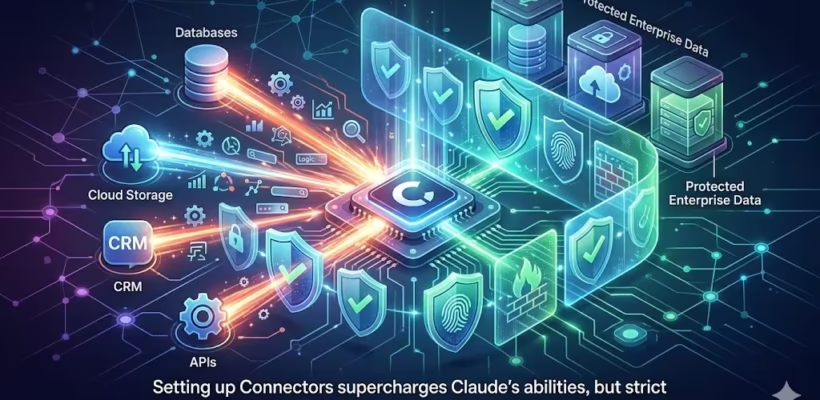
If you are setting up Claude for your team or enterprise, you have likely encountered the powerful feature known as Connectors. These integrations allow Claude to tie directly into your company’s existing tech stack—like Google Drive, Notion, Slack, or GitHub—pulling in live documents and context to make the AI significantly smarter about your specific business operations.
But the moment you go to authorize a Connector, a major security question inevitably pops up: Exactly how much data am I handing over to this AI?
If you search forums or look at AI certification study guides, you will see a lot of confusion and multiple-choice questions surrounding this exact topic. People often assume that connecting an AI to a service means opening the floodgates to their entire corporate history.
Let’s clear up the confusion, look at the strict rules governing what Claude can actually “see,” and bust some of the most common myths about AI data access.
Table of Contents
The Multiple-Choice Confusion: Exploring the Myths
If you are researching this topic, you might have seen a common trick question floating around regarding what data Claude can access once a Connector is authorized:
A) All data in the connected service B) Only data created in the last 30 days C) Only docs that have been individually shared with Anthropic D) Only data you have permission to access
Let’s break down why the first three assumptions are completely false before we get to how the system actually works.
Myth 1: It Accesses “All Data in the Connected Service”
This is the biggest fear for IT admins. The assumption is that if you connect Claude to your company’s Google Workspace, the AI suddenly indexes every single document across the entire organization, including private HR files and unreleased financial records.
False. Claude respects the existing security architecture of your organization. It does not act as an all-seeing administrator bypassing local permissions.
Myth 2: It Accesses “Only Data Created in the Last 30 Days”
Some users assume that Connectors have a strict, hard-coded time limit to save processing power, pulling in only recent chat logs or newly created documents.
False. There is no arbitrary 30-day cutoff for data retrieval. If a relevant document is five years old but you have access to it, Claude can retrieve it.
Myth 3: It Accesses “Only Docs Individually Shared with Anthropic”
This misconception suggests that you have to manually right-click every single file and explicitly “Share with Anthropic/Claude” for the AI to see it, creating a tedious, manual bottleneck.
False. The integration is much smoother than that. You don’t need to manually flag individual files for the AI once the Connector is properly established.
The Reality: The “Permissions Mirror” Principle
So, what is the correct answer?
Claude can access only the data that you have permission to access.
This is the golden rule of how enterprise AI Connectors function. The system operates on what is often called a “permissions mirror” or user-context authorization.
When you ask Claude a question that requires it to search a connected service (like your company’s Notion workspace), Claude essentially puts on a digital nametag with your name on it. It searches the database using your specific user credentials and access rights.
- If you are a marketing intern: Claude can search the public “Brand Guidelines” folder and your personal “Q3 Campaign Drafts” folder. If you ask it to summarize the upcoming payroll changes, it will fail, because you do not have access to the HR payroll folder.
- If you are the HR Director: You can ask Claude the exact same question about payroll changes, and it will provide the summary, because your account has the necessary permissions to view those files.
Why This Architecture is Crucial for Enterprise Security
Understanding this “permissions mirror” principle is vital for organizations looking to scale their AI usage without compromising security.
1. It Enforces Zero Trust
You don’t have to build a secondary, complex layer of permissions specifically for Claude. The AI inherits the Zero Trust architecture you have already painstakingly set up in your underlying systems. If your IT team has properly siloed data in Google Drive or Confluence, Claude automatically respects those silos.
2. It Prevents Accidental Data Leaks
One of the biggest risks of using standalone chatbots is that users might accidentally upload sensitive files to a public AI. By using Connectors that respect internal permissions, the data stays within your secure ecosystem. A junior developer cannot use Claude to inadvertently surface the CEO’s private strategy document if they couldn’t search for it themselves.
3. It Allows for Seamless Scaling
Because Claude relies on existing user permissions, onboarding is frictionless. When a new employee joins and is granted access to specific Slack channels and Drive folders, Claude’s capabilities for that employee are instantly calibrated to match their access level.
When setting up Connectors for Claude, you don’t need to worry about the AI going rogue and indexing confidential files it shouldn’t see, nor do you have to worry about an arbitrary 30-day memory limit.
The rule is simple and secure: Claude acts as an extension of the user. It can only see, search, and synthesize the exact same data that you are already permitted to access with your own login credentials. By mirroring your existing security infrastructure, Connectors provide powerful context without compromising corporate privacy.