

If you’ve been spending time figuring out how to get the most out of modern artificial intelligence tools, you’ve probably noticed that we are moving past simple chat interfaces. Today’s platforms feature specialized settings—often called “Research Mode,” “Deep Search,” or “Pro Mode.”
These modes change how the AI operates behind the scenes, usually giving it the ability to browse the live web, synthesize dozens of sources, and take its time to formulate a highly detailed response.
But not every job requires that kind of heavy lifting. In fact, using research mode for the wrong task just wastes your time and compute credits.
So, let’s look at a common question floating around AI certification tests and user forums:
Which of the following tasks is a good candidate for research mode?
- Reformatting a PDF file
- Conducting comprehensive market analysis
- Brainstorming product codenames
- Redlining legal documents
If you’re just looking for the quick answer: Conducting comprehensive market analysis is the clear winner.
But if you want to actually understand how to allocate your workflow to different AI tools—and why the other three options fail the test—let’s break down the logic behind each task.
Table of Contents
Why the Other Options Don’t Need “Research Mode”
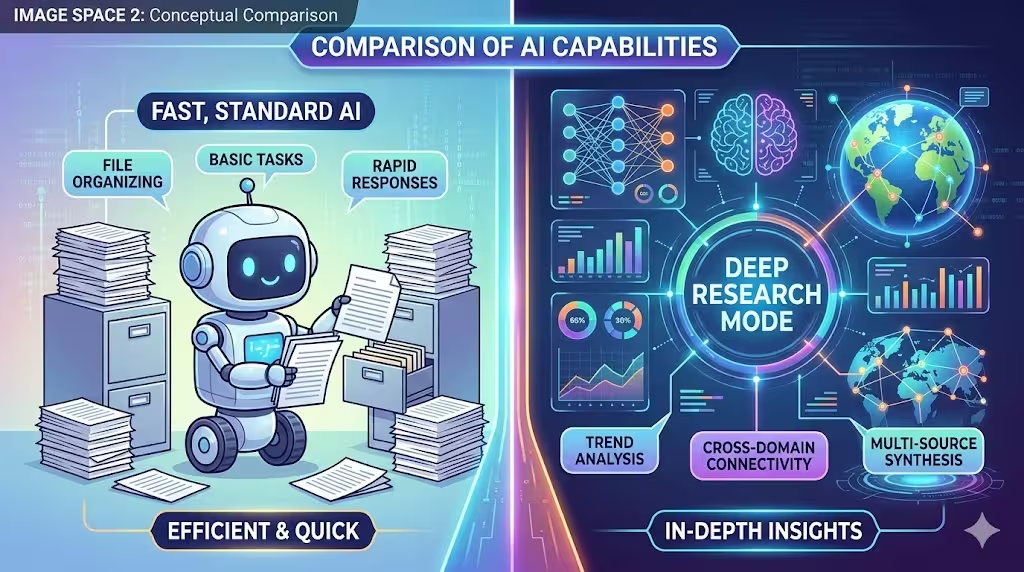
To understand what makes a task perfect for deep research, you have to look at why the other options are better suited for standard, lightning-fast text generation.
1. Reformatting a PDF file
Reformatting a document is a mechanical, structural task. You don’t need the AI to go out onto the internet, verify facts, or pull in new data. You just need it to read the text you’ve provided and spit it back out with different spacing, bullet points, or markdown tags.
Using research mode for this is like hiring a private investigator to alphabetize your spice rack. Standard AI models (or even dedicated PDF parsing software) can handle reformatting instantly using their base logic.
2. Brainstorming product codenames
This is a purely creative, generative task. When you ask an AI to come up with 50 edgy names for a new tech gadget, it relies on its internal training data—its understanding of language, phonetics, and cultural associations.
Does it need to search the live web to do this? Not really. While you might eventually want to run a trademark search on the names it generates, the actual brainstorming phase relies on the model’s inherent creativity, which happens in standard conversational mode in seconds.
3. Redlining legal documents
This one trips a lot of people up because legal work feels like “research.” But redlining a contract is actually a task of comparison, compliance, and specific domain expertise.
When you redline, you are comparing a specific document against a set of rules, past precedents, or a counter-party’s terms. You want the AI acting in a highly controlled environment, usually using a technique called RAG (Retrieval-Augmented Generation) pointed strictly at your secure legal database. You absolutely do not want an AI doing open-web searches to guess how a liability clause should be structured. Open research mode introduces unpredictability, which is the last thing you want in a legal contract.
The Winner: Conducting Comprehensive Market Analysis
So, why does market analysis take the crown here?
Because it represents everything “Research Mode” was actually built to do. When AI companies build deep research capabilities, they are trying to solve a few specific limitations of standard language models: knowledge cutoffs and hallucination.

Here is exactly why market research demands this feature:
It Requires Live, Up-to-Date Data
A standard language model is frozen in time. If its training data stopped in 2023, it literally does not know what happened in the market last week. If you are doing a market analysis on the electric vehicle industry, relying on two-year-old data makes your analysis useless. Research mode bypasses this by scraping current news articles, recent quarterly earnings reports, and trending consumer data in real-time.
It Demands Source Synthesis
Market analysis isn’t about finding one right answer. It’s about looking at twenty different variables. A good research mode will go out and read a competitor’s website, pull stats from a government database, scan recent press releases, and read industry blogs. It then synthesizes all that messy, disparate data into a single, cohesive overview.
Fact-Checking is Non-Negotiable
If you are making business decisions based on an AI’s output, you need receipts. When you use research capabilities (like Perplexity or ChatGPT’s search functions), the system provides citations. You can click the little footnote to verify that the “45% growth rate” it quoted actually came from a legitimate McKinsey report and wasn’t just hallucinated by the algorithm.
How to Set Up Your Prompt for AI Market Research
If you are going to use an AI’s research function for market analysis, don’t just type, “Analyze the sneaker market.” You won’t get the depth you need.
Instead, treat the AI like a junior analyst you just hired. Give it a framework. Try a prompt structure like this:
- Define the specific niche: “I need a market analysis for direct-to-consumer, eco-friendly running shoes in the US.”
- Set the parameters: “Focus on data from the last 12 months.”
- Outline the deliverables: “Include an overview of the top 3 competitors, current pricing strategies, primary consumer pain points, and any emerging regulatory trends regarding sustainable materials.”
- Force the citations: “Ensure every statistic or market claim is cited with a link to the original source.”

At the end of the day, understanding when to toggle that “research” switch is becoming a pretty essential skill for anyone trying to build an efficient workflow.
It really comes down to knowing the right tool for the job. Save your standard, fast-response models for drafting emails, kicking around ideas, and organizing data. But when the stakes are higher—when you need to map out a competitive landscape, track shifting industry trends, or build a solid business case rooted in current facts—turn on research mode. Give the AI a little extra time to dig, and let it do what it was built for.