
If you have been diving into advanced AI workflows lately—specifically within the Claude ecosystem—you have likely encountered two features that sound incredibly similar: Projects and Skills.
At first glance, it is easy to confuse them. Both tools are designed to stop you from having to repeat yourself every time you open a new chat. Both tools make the AI smarter and more tailored to your specific business needs.
But if you search online for the primary difference between the two, you will often find a lot of conflicting information. In fact, one of the most common search queries—and a frequent trick question in AI certification quizzes—suggests that the main difference is a paywall.
Let’s clear up the confusion, bust the pricing myth, and look at the actual mechanics of how Projects and Skills fundamentally change the way you interact with AI.
Table of Contents
The “Projects Are Free” Misconception
If you have been Googling this topic, you might have stumbled across a multiple-choice question floating around developer forums and study guides:
What is the primary difference between projects and skills? A. Projects are free, skills require a paid plan B. Projects are for teams, skills are for individuals C. Projects store knowledge, skills perform tasks D. Projects work offline, skills require internet
A surprising number of people guess “A”—assuming that the defining line is just a pricing tier where projects are handed out for free while skills are locked behind an enterprise paywall.
That is completely false.
Pricing tiers and feature availability constantly shift depending on the specific AI platform and your subscription level, but pricing is never the functional difference between the two tools.
The correct answer is C: Projects store knowledge, while skills perform tasks.
Understanding this distinction is the key to moving past basic prompting and building a truly automated AI workflow.
The Real Difference: Knowledge vs. Procedure
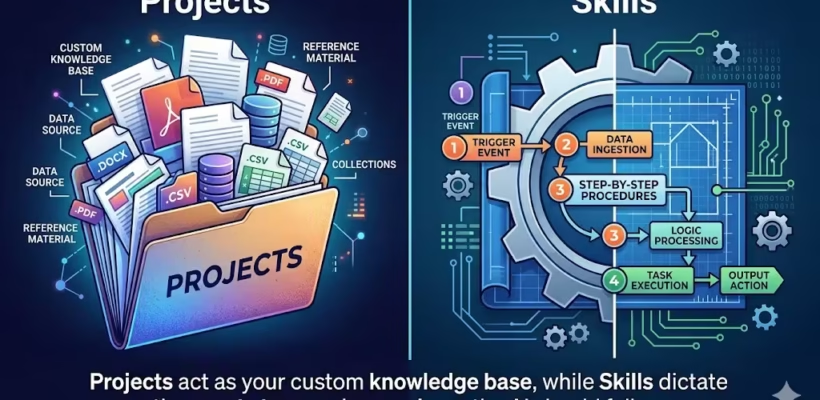
To put it simply: a Project is about what the AI knows. A Skill is about how the AI executes a task. They are two halves of a complete system.
Let’s break down exactly how each one functions.
Projects: Your Persistent Knowledge Base
Think of an AI Project as a dedicated, persistent workspace.
When you normally use an AI chatbot, you start with a blank slate every single time. If you want it to write a marketing email, you have to spend ten minutes explaining your brand voice, who your target audience is, and what your product does.
A Project solves this “blank slate” problem. It acts as a digital filing cabinet for a specific domain. You can upload your company’s brand guidelines, previous successful emails, and product specs directly into the Project.
- It stores context: The AI remembers everything inside that specific Project.
- It acts as an anchor: Every conversation you start within that Project automatically references those uploaded documents.
- It scales: As your Project knowledge base grows, the AI uses Retrieval-Augmented Generation (RAG) to scan through massive amounts of data instantly.
Example Use Case: You create a “Q3 Website Redesign” Project and upload all the wireframes, meeting transcripts, and developer notes. Now, any time you ask the AI a question in that workspace, it already has the full context of the redesign.
Skills: Your Reusable Workflows
Where a Project provides the background context, a Skill provides the procedure.
A Skill is a portable, repeatable instruction manual that you teach the AI. It is a defined routine with clear inputs, a specific multi-step process, and a highly structured output.
You don’t use a Skill to store data. You use a Skill to ensure the AI does a specific job exactly the same way, every single time, regardless of what Project you are working in.
- It standardizes outputs: If you have a specific way you want code reviewed, or a specific format for your weekly reports, a Skill enforces those rules.
- It is highly portable: Unlike a Project (which is a locked room of data), a Skill can be applied anywhere. You can trigger your custom “Blog Post Formatting” Skill across ten different Projects.
- It acts proactively: When triggered, a Skill tells the AI exactly what moves to make without you having to write a massive, complex prompt from scratch.
Example Use Case: You create a “Code Audit” Skill. The Skill instructs the AI to always check for three specific security vulnerabilities, format the response in a markdown table, and suggest a fix for every error. You can run this Skill on any piece of code, in any Project, and get a consistent result.
Why Power Users Need Both (The “Context + Process” Formula)
If you only use Projects, you have context without process. The AI knows exactly who your company is and what your data looks like, but it is still improvising how it helps you. It might format an answer beautifully on Tuesday, but give you a messy summary on Wednesday.
If you only use Skills, you have process without memory. The AI knows exactly how to execute a flawless 5-step code review, but it starts cold every time because it doesn’t know the background of the software you are building.
The professionals who get the most out of modern AI platforms use them together.
You open up your specific Project (so the AI knows the background). Then, you trigger your custom Skill (so the AI follows your exact operational procedure).
Consistent context combined with a consistent process guarantees a consistent output.
The Bottom Line
Don’t let confusing quiz questions or outdated forum posts mislead you. The primary difference between Projects and Skills has nothing to do with which one is free and which one requires a credit card.
Projects are your storage hubs—they hold the knowledge, context, and reference files for a specific area of your work. Skills are your operational procedures—they dictate the exact actions and formats the AI should use to complete a recurring task.
Mastering both is the secret to moving away from treating AI like a simple chatbot, and starting to treat it like a reliable operating system for your daily work.