
We are given the length and width of a rectangle, and our goal is to compute the area using a Python program. To do this, we will read the rectangle’s dimensions, apply the standard area formula, and then display the calculated result in a clear format. For example, if the length is 5 units and the width is 3 units, the computed area should be 15 square units.
Mathematical formula:
Area = length × width
Make sure your program handles typical user input (for example, integer or float values) and provides a clear, readable output.
Approach
- Understand the formula: multiply length by width.
- Read inputs (either fixed values for examples or from the user using
input()and convert tofloat). - Validate inputs (optional): ensure length and width are non-negative.
- Calculate area and print the result.
We demonstrate multiple approaches below — using a fixed value, using user input, and using a reusable function.
Method 1: Using fixed values
This is useful for quick demonstrations or tests.
# Using fixed values
length = 5    # units
width = 3     # units

area = length * width
print("Length:", length)
print("Width:", width)
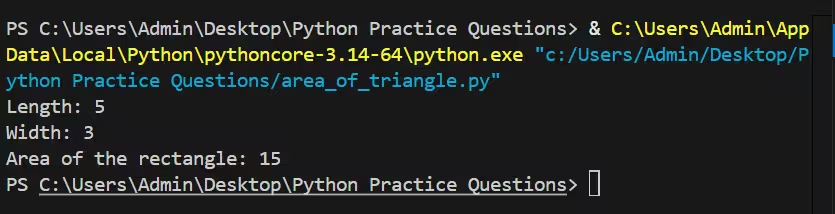
print("Area of the rectangle:", area)
Output :
Explanation:
In this method, the length and width are predefined in the program, so no user input is required. The program simply multiplies these two values using the rectangle area formula and prints the result. This approach is best suited for quick testing, demonstrations, or when the dimensions are already known in advance.
Method 2: Using user input
Prompt the user to enter the length and width at runtime. We convert inputs to float so the program accepts decimal values as well.
Code:
# Taking input from the user
length = float(input("Enter the length of the rectangle: "))
width = float(input("Enter the width of the rectangle: "))

# Optional validation
if length < 0 or width < 0:
    print("Length and width should be non-negative numbers.")
else:
    area = length * width
    print(f"Area of the rectangle with length {length} and width {width} is {area}.")
Sample run :
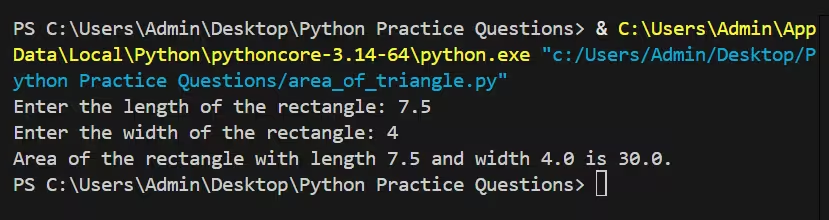
Enter the length of the rectangle: 7.5
Enter the width of the rectangle: 4
Area of the rectangle with length 7.5 and width 4.0 is 30.0.
Code language: CSS (css)
Output:
Explanation:
In this method, the program takes the length and width directly from the user at runtime using the input() function. The values are converted to float so the program can handle both integer and decimal inputs. After validating that the values are non‑negative, the program calculates and displays the area. This approach is ideal for interactive programs where dimensions are not known in advance.
Method 3: Using a function
Wrap the area calculation in a function so you can call it repeatedly or import it into other programs.
Code:
def rectangle_area(length, width):
    """Return the area of a rectangle given length and width."""
    if length < 0 or width < 0:
        raise ValueError("Length and width must be non-negative")
    return length * width

# Example usage
try:
    l = float(input("Enter length: "))
    w = float(input("Enter width: "))
    a = rectangle_area(l, w)
    print(f"Area = {a}")
except ValueError as e:
    print("Error:", e)
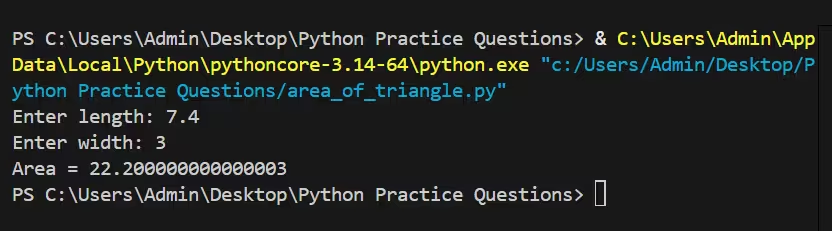
Output:
Explanation:
In this method, the area calculation logic is placed inside a reusable function, making the code cleaner and easier to maintain. The function also validates the inputs and raises an error if negative values are provided. This approach is recommended for larger programs where the same calculation may be needed multiple times.
Notes and tips
- Use
float()for inputs when you want to accept decimal measurements. - Consider adding unit labels (e.g.,
cm,m) if you’re working in a specific measurement system. - For applications that repeatedly compute areas, keep the calculation in a function or a module.